MCZ Copy
Share files between PCs, protected by a PIN
MCZ Copy lets other PCs on your network get files from you and send files to you, but only the files and folders you choose, and only with a PIN you made. Everything is encrypted on the way.
Secure by design
A PIN for every share
You make a PIN and give it a name. Easily guessed PINs, such as 12345678, repeats, keyboard runs, dates or common passwords, are refused. The PIN itself never crosses the network.
Only what you pick
Each PIN opens just the files and folders you pick for it, read-only or read-write. You can only share things on your own drives that you can open yourself.
Encrypted
Everything sent between PCs is encrypted, so nobody else on the network can read it.
Nothing arrives uninvited
Without a PIN nothing can be sent to you, unless you choose a no-PIN folder for it to arrive in.
Two tabs
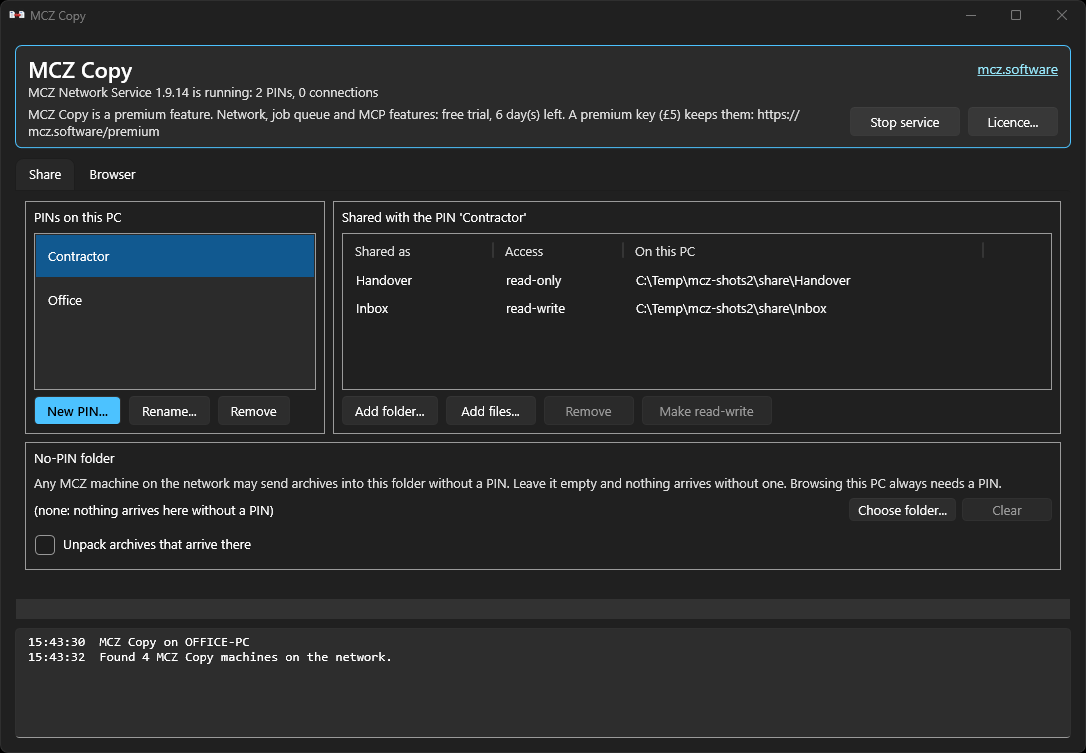
Share
Your PINs, and for each one the folders and files it opens, read-only or read-write.
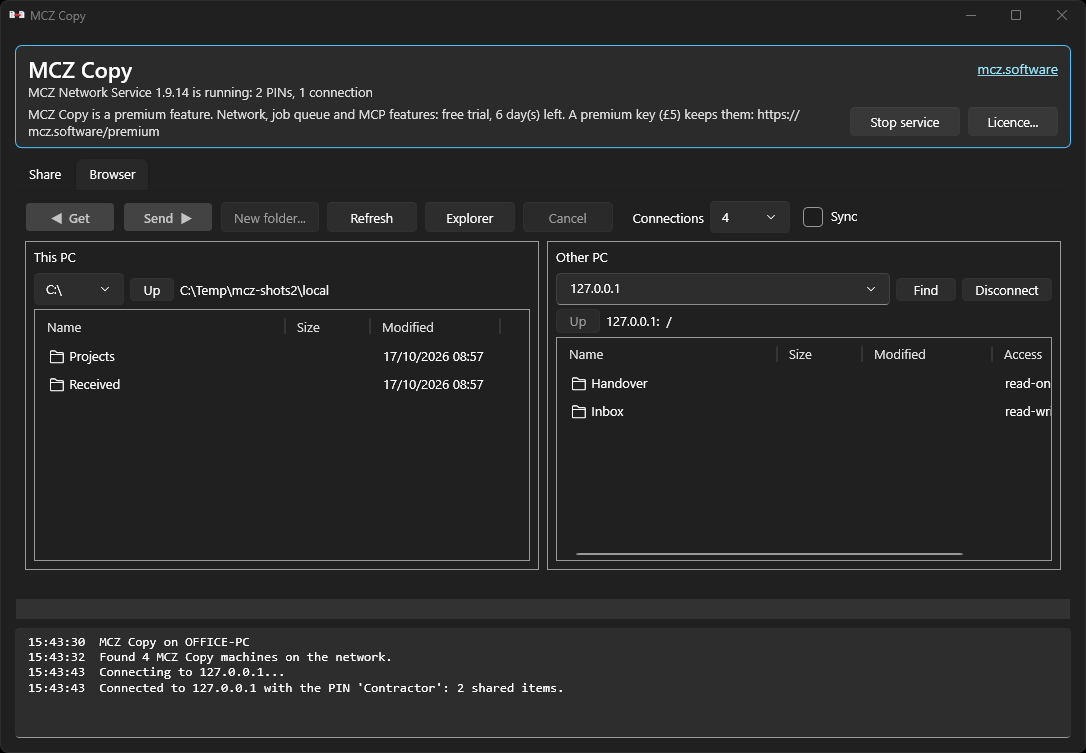
Browser
This PC on the left, the other PC on the right. Get copies to this PC, Send copies to the other one.
Screenshots from MCZ 1.9.14 for Windows, with a test share. The Linux app has the same tabs.
How to use it
- Share. On the Share tab, make a PIN and pick the files and folders it opens.
- Connect. On the other PC, open MCZ Copy, choose your PC and type the PIN.
- Copy. The Browser tab shows this PC on the left and the other on the right. Select files and press Get or Send. Tick Sync first to make the destination match.
New in 1.9.9: Sync
Tick Sync next to Get and Send, and the folder you copy into ends up matching the one you copy from. New and changed files are copied, and files that are no longer in the source are removed from the copy. It keeps a backup folder or a second PC up to date in one step.
See it before it happens
Before anything moves, MCZ Copy lists every file and folder a sync would remove. Nothing is removed unless you tick the box that says so; otherwise the sync only copies.
Only inside the folder you sync
Syncing Photos into a backup drive touches only the Photos folder there. Everything else on that drive stays as it is.
Safe if something goes wrong
Files are removed only after every file has been copied, so a sync that fails or is cancelled removes nothing. An empty source folder is refused, and you get a clear warning when most of the files would go.
Recycle Bin on this PC
Files removed on your own PC go to the Recycle Bin (the Trash on Linux), so you can put them back; on the other PC they are deleted, and the list says which. Files changed more recently at the destination are kept, and hidden key files and links are never removed.
Made for big folders
- Any number of files in one transfer: a whole Unreal project with tens of thousands of files goes in one Send.
- Transfers are compressed, so less has to cross the network.
- An interrupted transfer carries on where it stopped, and long transfers run for as long as they need.
- Copying into a folder that already has the files updates it: identical files are skipped, older ones replaced and newer ones kept. You see what will happen before anything is copied, and can choose to overwrite every existing file.
- Transfers take their turn with other MCZ jobs, so they don't slow each other down.
MCZ Copy is a premium feature: free for 30 days on each computer, then a one-off key. Both PCs need it: the PC sharing the files and the PC connecting to it each need a premium key, or must each still be inside their own free trial. Both PCs also need MCZ 1.9.8 or later for Get and Send (an older MCZ is told to update), and 1.9.9 or later for Sync. It runs on Windows and Linux. The MCZ Copy manual is on the Download page.